


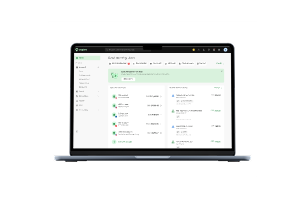
Stripe Payment at a glance
[Table:1]
What is Stripe payment
Stripe, a finance platform, provides businesses with a single platform to collect online and in-person payments, automate recurring billing, and manage payment infrastructure without designing such systems from scratch. It supports over 100 payment methods and 135+ currencies and offers a number of checkout options, making it appropriate for enterprises selling locally or worldwide.
In practice, Stripe is a strong fit for firms that need more than a payment gateway. It provides subscriptions, invoicing, payment links, fraud protection, reporting, and developer APIs in addition to processing payments, giving finance and product teams a single platform to manage payments as their business expands.
[Table:2]
Is Stripe available in Singapore
Yes. Stripe is available in Singapore and supports businesses that accept cross-border payments, both online and in-person. Businesses can accept payments in SGD and other supported currencies, enable local and worldwide payment modes, and choose hosted checkout, no-code payment links, or bespoke integrations as per their technological needs.
Stripe Payments Singapore Pte Ltd. is regulated by the Monetary Authority of Singapore (MAS) as a Major Payment Institution (MPI) under the Payment Services Act. Its licensed business activities include merchant acquiring, domestic and cross-border money transfers, account issuing, and e-money issuance.
- Availability: Available for qualifying Singapore enterprises
- MAS status: Stripe Payments Singapore Pte. Ltd is licensed as a Major Payment Institution (MPI) under the Payment Services Act
- Businesses supported: Startups, SaaS companies, ecommerce, marketplaces, subscription companies, and enterprise merchants
- Industries served: Online retail, software, digital services, marketplaces, creator platforms, and businesses accepting online or in-person payments
- SGD support: Supports accepting payments and settling funds in SGD, alongside multi-currency payment capabilities
- Local payment options: Supports PayNow, GrabPay, Apple Pay, Google Pay, Alipay, WeChat Pay, major card networks, and other payment options
How Stripe payment processing works
Stripe payment processing follows a simple workflow from customer checkout to receiving money into your bank account. Understanding each step can help you set realistic expectations about payment timing and cash flow.
1. Customer pays
The customer completes checkout using a card, digital wallet (e.g., Apple Pay or GrabPay), PayNow, or another supported payment option.
2. Payment authorisation
Stripe sends the payment request to the customer's bank or card issuer for approval. While this happens in seconds, approval rates aren't guaranteed. Card type, issuer policies, customer authentication requirements, and payment method all influence whether a transaction succeeds. If you're selling across multiple markets, enabling locally preferred payment methods can often improve payment success rates.
3. Fraud checks
Stripe screens the transaction using Stripe Radar and other risk tools to help detect potentially fraudulent activity while reducing unnecessary payment declines.
4. Funds become available
After a successful payment, the funds move into your Stripe balance. They become available for payout based on your account's payout speed, which varies by country and business profile.
5. Payout
Stripe transfers available funds to your linked bank account according to your chosen payout schedule (daily, weekly, monthly, or manual, where supported). Your payout schedule determines how often Stripe sends funds, not how quickly they become available. Banks may also take additional business days to credit the funds.
6. Reconciliation
Finance teams should reconcile charges, refunds, fees, disputes, and payouts before closing the period. This becomes especially important when you sell across multiple currencies or entities, where differences between payment data and accounting records can create additional work and make it harder to maintain a clear view of cash flow.
Payment methods supported by Stripe Singapore
Stripe Singapore allows businesses to take payments from local and international customers with 100+ payment methods. You can choose the best suitable options that your client most likely uses or that suit the market in which you operate.
Card
Stripe payment processing is the default choice for most ecommerce, SaaS, and B2B enterprises because it supports major credit and debit cards. Cards usually offer the most reach to customers if you operate overseas.
Local payment options
For businesses serving customers in Singapore, Stripe supports PayNow, giving customers a familiar bank-based payment option alongside card payments. Offering local payment methods can improve the checkout experience for domestic customers.
Digital wallets
Stripe Singapore also accepts digital wallets such as Apple Pay, Google Pay, GrabPay, Alipay, and WeChat Pay. These options allow you to offer the exact payment method your client wants to use, reducing checkout friction and enhancing conversion rates without changing your whole payment setup.
Buy Now Pay Later (BNPL)
Stripe supports selected BNPL providers, allowing eligible businesses to offer flexible payment options for higher-value purchases. Whether BNPL is worth enabling depends on your products, customers, and target markets.
Bank debits and bank transfers
For certain regions and use cases, Stripe payment processing now supports bank debits and bank transfer methods. These are especially helpful for recurring payments and subscription businesses. Availability depends on the country and the payment method.
How to set up Stripe in Singapore
Stripe Singapore is simple to start with, but the options you choose during onboarding affect how you take payments, get payouts, and manage cash flow. Here’s how you can get started processing payments with Stripe.
1. Set up your Stripe Singapore account
Sign up with your business email and register your business in Singapore. When your Stripe account is created, you log into the Stripe Dashboard using your Stripe login credentials and set up payment methods and other Stripe payment processing settings.
Why it matters: Your business location determines payment methods, settlement options, and Stripe products available to your account.
2. Complete business verification
Provide your business registration details and complete Stripe's verification requirements. Depending on your business type, Stripe may also request information about your business representative, directors, beneficial owners, or identity verification to comply with Singapore regulations.
Once you've signed in through Stripe Login, Stripe will guide you through the required business verification steps before you can accept live payments.
Why it matters: Verification is required before you can process live Stripe payments and receive payouts.
3. Connect your business bank account
Add the Singapore bank account where you want Stripe to deposit your payouts.
Why it matters: Your linked bank account determines where payouts are sent. It's also worth reviewing your payout settings early — your payout schedule controls how often Stripe sends payouts, while payout speed determines when funds become available.
4. Enable the right payment methods
Choose payment methods that match your customers, such as cards, PayNow, GrabPay, Apple Pay, and Google Pay. Add additional payment methods if you're selling into overseas markets.
Why it matters: Offering locally relevant payment methods generally creates a better checkout experience than enabling every available option.
5. Integrate Stripe into your website or app
Pick the integration that’s right for your business, from Stripe Checkout, Payment Links, or a custom connector using Stripe Elements.
Why it matters: Hosted solutions help you get up and running faster, while custom integrations are more flexible as your checkout experience improves.
6. Test your Stripe payment processing
Run test transactions before accepting live payments.
Why it matters: Testing is a way to ensure your checkout flow, payment methods, refunds, and notifications all perform as planned before customers begin shopping.
Important point to focus on:
The initial Stripe set up is usually the easy part. As your business grows, the finance work around those payments becomes more involved. You need clear processes for settlement timing, reconciliation, FX exposure, and multi-currency balances, while keeping the underlying data accurate and your cash position visible. That is where a payment setup needs to fit into a broader finance operation, rather than operate as a standalone tool.
Stripe fees in Singapore
Stripe has a pay-as-you-go pricing approach, so you only pay when you successfully process a payment. There are no setup or monthly expenses for the base plan. The exact cost to you depends on how you pay, whether the payment is international, and which Stripe products you choose to utilise.
Standard Stripe payment processing fees
For businesses using Stripe payment processing in Singapore, standard pricing starts at:
- Domestic cards: 3.4% + SGD $0.50 per successful transaction
- International cards: +0.5% per transaction
- Currency conversion: +2% when currency conversion is required
Fees for local payment methods
Stripe charges different fees depending on the payment method you accept. For example:
- PayNow: 1.3% per successful transfer
- GrabPay: 3.3%
- Alipay and WeChat Pay: 2.2% + SGD $0.35
- Apple Pay and Google Pay: Standard card pricing applies.
Other Stripe fees to consider
Your effective payment cost can also depend on how you receive and move funds, particularly if you operate across currencies.
- USD payouts: 1% of the USD payout volume, with a minimum fee of USD $5 per payout.
- Instant Payouts: 1% of the payout volume, with a minimum fee of SGD $0.50.
- Instant currency conversion: Starts at 0.35% of the converted amount.
- Stripe Billing: Starts at 0.7% of billing volume for subscription billing.
- Stripe Invoicing: Starts at 0.4% per paid invoice.
- Disputes: SGD $15 for each dispute received. An additional SGD $15 applies if you respond to the dispute manually, which is refunded if you win.
Stripe payouts: How long do they take
How quickly you receive your Stripe payouts depends on three factors: payout speed, your payout schedule, and your bank's processing time. These are separate stages, so changing one doesn't necessarily make funds arrive sooner.
Payout speed
For Stripe Singapore, the default payout speed is T+7 calendar days, meaning funds typically become available for payout 7 calendar days after a payment is captured. Stripe may apply different payout speeds based on your account and business profile.
If you're new to Stripe, your first payout is typically scheduled 7–14 days after your first successful payment, depending on your country and risk profile.
Payout schedule
When you’re ready to receive your funds, Stripe deposits them into your connected bank account according to your payout plan. Where supported, you can choose daily, weekly, monthly, or manual payouts.
A common misconception is that switching to daily payouts speeds up access to funds. It doesn't. Your payout schedule only determines how often Stripe sends available funds to your bank account.
Bank processing
After Stripe initiates a payout, your bank may take additional time to credit the funds. Weekends and public holidays can also delay when the money appears in your account.
Multi-currency payouts
If you're using multi-currency settlement, some currencies have minimum payout thresholds. If your balance doesn't meet the required threshold, Stripe won't initiate a payout until the threshold is reached or you convert the balance into another supported settlement currency.
Note: Payout speed and eligibility may fluctuate based on factors like your account history, business type, and Stripe’s risk assessment. The payout dates in your Stripe Dashboard follow your account settings most accurately.
When Stripe works and when it doesn’t
Stripe can be a strong payment infrastructure choice, but for a finance leader, the decision goes beyond whether it can accept payments. The bigger question is whether your payment setup gives you the controls, reconciliation processes, cash visibility, and multi-currency workflows you need as transaction volume and operational complexity grow.
Stripe is a good match if…
- You need to start taking online payments quickly.
- You have a SaaS, ecommerce, marketplace, or subscription business.
- You have customers in many countries and need to accommodate local payment methods and numerous currencies.
- Flexible implementation choices are essential, ranging from no-code checkouts to fully bespoke integrations.
- Your priority is a reliable payment infrastructure that can scale as transaction volumes grow.
You may need additional tools if...
- Your finance operations extend beyond payment acceptance into areas such as spend management, accounts payable, or cash management.
- Your team regularly manages settlements across multiple currencies and legal entities.
- Reconciliation and financial reporting require data from several payment and finance systems.
- You're looking to simplify broader finance operations alongside payment processing.
Best Stripe alternatives for a Singapore business
The best Stripe replacement depends on what your business requires in addition to payment processing. Some platforms are dedicated to international payments, while others include finance operations, foreign exchange, or enterprise payment infrastructure.
Airwallex
Best for: Internationally expanding businesses.
Airwallex provides online payment acceptance, multi-currency business accounts, foreign exchange, global transfers, and corporate cards. It works particularly effectively for firms with clients, suppliers, or teams in several countries.
Wise Business
Best for: Companies that regularly transmit, receive, and convert international funds.
Wise Business focuses on international money movement. It provides local account details in supported currencies, transparent foreign exchange pricing, and global transfers, making it a practical choice for businesses managing cross-border payments.
PayPal
Ideal for: Companies seeking a simple online checkout solution.
PayPal is widely recognised by customers all over the world, and it might be a good choice for companies that want public recognition and a simplified online payment experience.
Adyen
Best for: Large businesses with complex global payment operations.
Adyen provides enterprise-grade payment infrastructure, unified commerce capabilities, and global acquisition for enterprises that operate across different markets and sales channels.
Using Aspire alongside Stripe
As companies expand internationally, payment acceptance becomes only one part of the finance workflow. Teams also need to:
- Manage multi-currency balances.
- Pay suppliers across different countries.
- Issue corporate cards and control employee spending.
- Automate accounts payable and expense approvals.
- Reconcile financial data with accounting software.
- Monitor cash flow across multiple currencies and entities.
These operational requirements sit alongside payment processing rather than replacing it.
Where Aspire fits
You may need to manage cash in several currencies, pay overseas suppliers, restrict employees' spending, automate accounts payable, and reconcile transactions with your accounting software. As your organisation grows, managing these activities across different technologies can lead to operational overhead.
Aspire is designed to bring these finance workflows together in one platform. Instead of replacing Stripe Payments Singapore, it complements your existing payment setup by supporting the operational work that happens after customer payments are received.
FAQs
How much does Stripe cost in Singapore?
Stripe’s standard pricing in Singapore is 3.4% + SGD $0.50 for every successful domestic card transaction. Extra charges apply for currency conversion, international cards, disputes, and extra goods such as Billing or Invoicing. Review Stripe's pricing based on the payment methods and products your business plans to use.
Does Stripe support PayNow?
Yes, Stripe Payments Singapore supports PayNow, enabling qualifying businesses to accept real-time bank payments from their clients in Singapore. Stripe Singapore accounts automatically have PayNow activated and are compatible with supported payment experiences, such as Stripe Checkout, Payment Links, Billing, and Payment Element.
How long do Stripe payouts take?
Stripe payouts depend on your payout speed, payout schedule, and your bank's processing time. For Singapore accounts, the default payout speed is generally T+7 calendar days, although this may vary based on your account. Your first payout may take longer, and changing your payout schedule affects how often Stripe sends payouts, not when funds become available.
Is Stripe good for startups?
Yes. Stripe payment processing is highly suited for startups, as it offers pay-as-you-go pricing, customisable choices for integration, recurring billing, and support for international payments. As organisations expand, you should start to think about how payment processing fits into broader financial processes such as reconciliation, cash flow management, and multi-currency workflows.
How do I sign in to Stripe?
To use Stripe Login, go to the official Stripe website and log in to your Stripe Dashboard with the email address and login method you registered with. To help keep your account secure, always access your account through Stripe’s official website or mobile app and use two-factor authentication where available.



.webp)